The October update is now listed
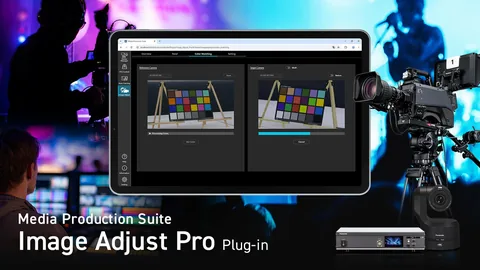
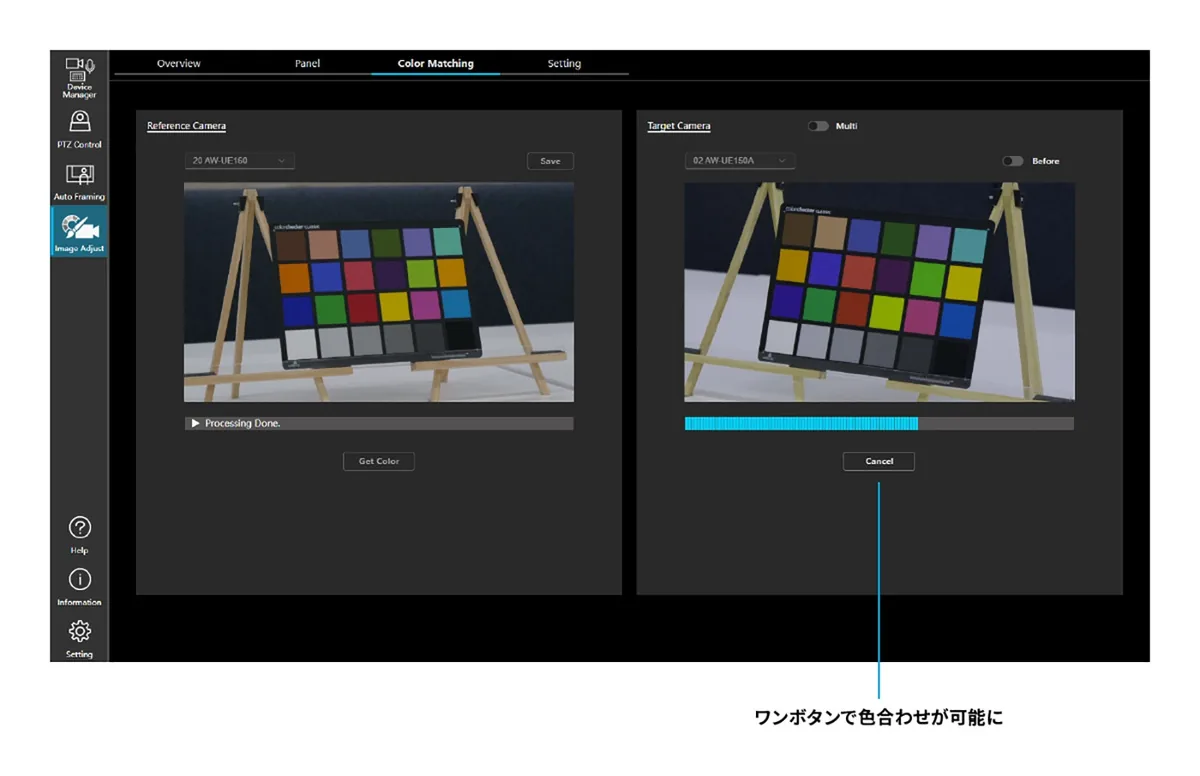
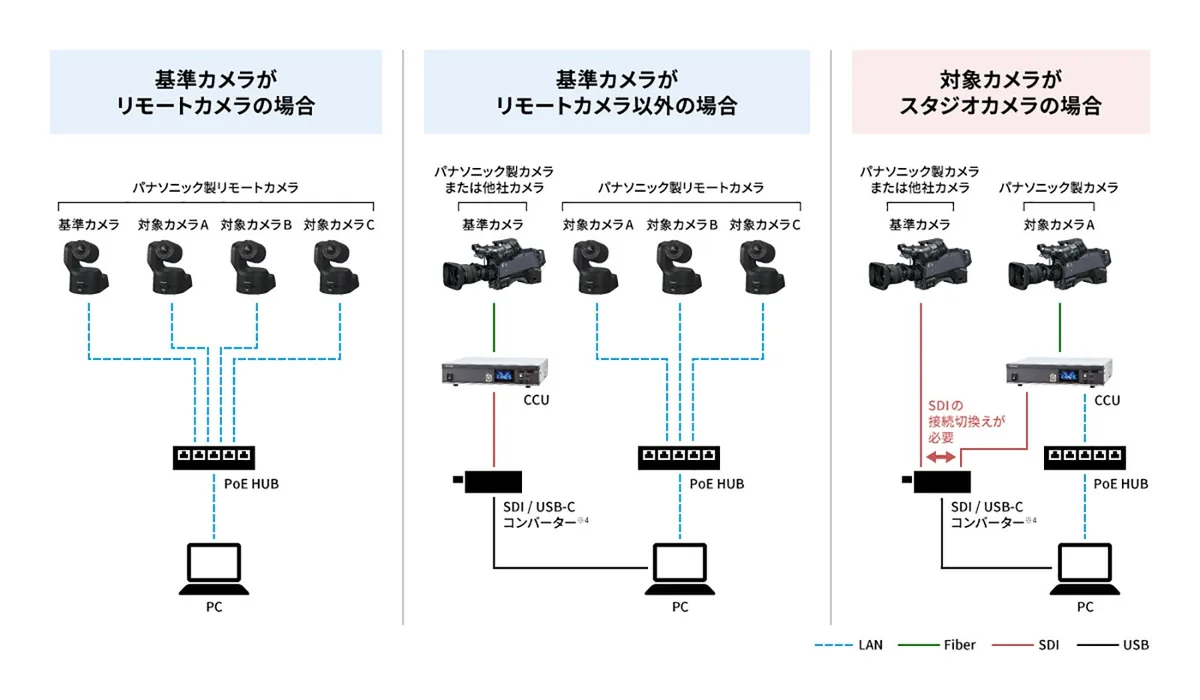
Panasonic’s professional-video update index now lists Image Adjust Pro version 1.1.9, dated October 28, alongside the addition of Auto Color Matching. This follows the September announcement of the feature. It is a software-workflow update for Media Production Suite, not a new camera launch. The manufacturer artwork reproduced here shows the proposed interface and connections; it is not an independent before-and-after test. The practical question is whether the actual camera chain on your production is supported, rather than whether the pictures in the announcement look alike.
A reference is not the same as a controlled camera
Panasonic describes a chart-based process that adjusts supported Panasonic cameras toward a reference image. A third-party camera can supply the reference, but that does not mean the software can remotely match or control every third-party camera. The company also describes automatic chart framing with compatible Panasonic remote cameras. Check the current compatibility table for the exact model, software and firmware combination. Do not substitute a familiar brand name for that check: two cameras from one manufacturer can expose different controls and require different connections.
License, price and availability
Panasonic lists Image Adjust Pro as a paid plug-in activated with an AW-SF600 key and offers a 30-day trial. The software update is listed as available from October 28. The official global pages reviewed do not publish a USD list price; US reseller SHI lists AW-SF600Z at $3,015 when checked October 30. That is a seller’s listing, not a Panasonic MSRP or a promise of immediate key delivery. Request a current written quote, including applicable taxes, activation conditions and regional availability, before budgeting a production around it.
Draw the signal path before installing anything
Make a small connection plan for the reference source, target cameras, computer and monitoring display. Record which devices provide video and which accept control. These may follow different paths. Panasonic notes that an SDI connection requires an SDI-to-USB-C converter. Verify the specific converter and computer arrangement against the current documentation; a connector shape alone does not establish compatibility. Save the working configuration before changing software, and allow time to restore it. A rehearsal should use the same resolution, frame rate and output treatment planned for the event.
Use the chart to begin the evaluation
As an editorial acceptance check, photograph or record the chart under representative lighting, then also inspect faces, clothing and the actual set. Keep the reference camera’s exposure and white balance stable while comparing. A pleasing chart match does not establish that every saturated color, highlight or skin tone will behave identically. Watch for glare and uneven illumination on the chart itself before blaming the software. Avoid deliberately clipping the reference signal: a clipped patch cannot communicate the missing highlight detail to the other cameras. This is a proposed test, not a result we obtained.
Review cuts, not only a pair of still frames
Record a short exchange that switches between the reference and target views. Include a person moving through the light and a bright object that appears in both angles. Review the cut at normal speed, then inspect any distracting change with scopes and a consistent display path. Write down what improved and what still requires manual work. Repeat after a meaningful lighting change rather than assuming one setup covers an entire day. Preserve the original settings so that an operator can compare and recover without guessing which adjustment produced a difference.
Treat the time saving as something to measure
Panasonic positions the feature as a way to reduce preparation time. That remains a manufacturer benefit claim until measured in a particular workflow. Log the time spent connecting, calibrating, checking and correcting; compare it with the crew’s existing method on the same setup. A faster first match is useful only if the final pictures meet the production’s needs. For an imminent live job, keep the established manual process available and rehearse the update away from the live output. The official product and update pages below are the starting points for current support information.