What the update addresses
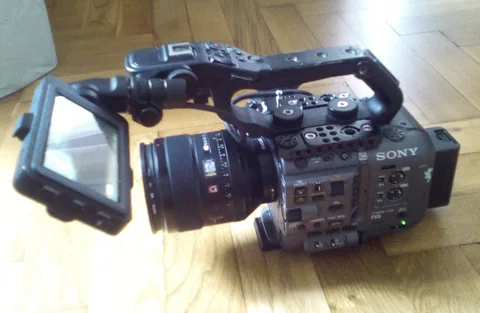
Sony’s US support page lists FX6 system software 6.02, released November 5, for the ILME-FX6V and ILME-FX6VK. Its stated improvement concerns simultaneous dual-slot recording: in a rare condition, an error affecting one media slot could also stop recording on the other. Sony describes improved stability for that condition. The note does not promise that every card error is recoverable or that recording can continue through every fault.
Identify the body and its starting version
Check Version in the camera’s Maintenance menu rather than relying on a note attached to the case. Sony warns that an upgrade from 5.02 or earlier resets existing settings. Its instructions say to save an All File beforehand and load that saved file after the update to retain them. An owner renting several bodies should record each body’s starting version and settings backup separately. A backup labelled only “FX6 settings” is easy to apply to the wrong unit.

Test the recording plan you actually intend to use
After following Sony’s installation instructions, make a non-critical recording with the intended media, format and simultaneous-recording configuration. Confirm that both resulting clips open, contain sound where expected and cover the same interval. Stop normally and inspect the files before formatting or reusing either card. This is a suggested owner check, not a test we performed or a method for reproducing Sony’s rare fault. Deliberately removing media during a take would introduce a different risk and would not establish that this fix works.
Treat the firmware note as one part of a media plan
For an important interview, write down which card will be copied first and who will confirm that the copy opens. If the camera displays a recording error, preserve the affected media and note the message before making changes. A second card can help with redundancy, but it is not an independent backup once both cards are returned to the same bag and reused without checking. Keep the original files until the project’s normal copy-verification process is complete.
Leave time before the next unrepeatable shoot
The firmware download and the exact installation precautions are available on Sony’s support page below. Read the current instructions for this body, including power and media preparation, before starting. Schedule the update with enough time to restore settings and make a familiar test clip. The page also lists benefits inherited from earlier releases; those should not be described as features newly introduced by 6.02. This report concerns a maintenance download for existing FX6 owners, rather than a new camera launch or a hardware buying recommendation.