A new connection for existing video equipment
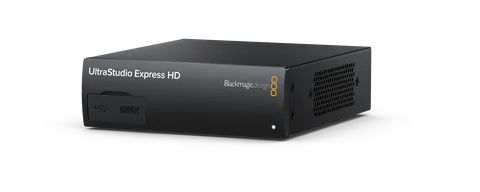
Blackmagic Design announced UltraStudio Express HD on October 30, 2026, with worldwide reseller availability from US$565, excluding local duties and taxes. The compact capture and playback interface connects to compatible Mac, Windows and Linux computers through USB4 or Thunderbolt 4. It receives power over that connection. This is equipment for moving video between a computer and external sources or displays, rather than a camera or a standalone recorder. Local stock and the delivered total still require a reseller check.
Check direction as carefully as connector type
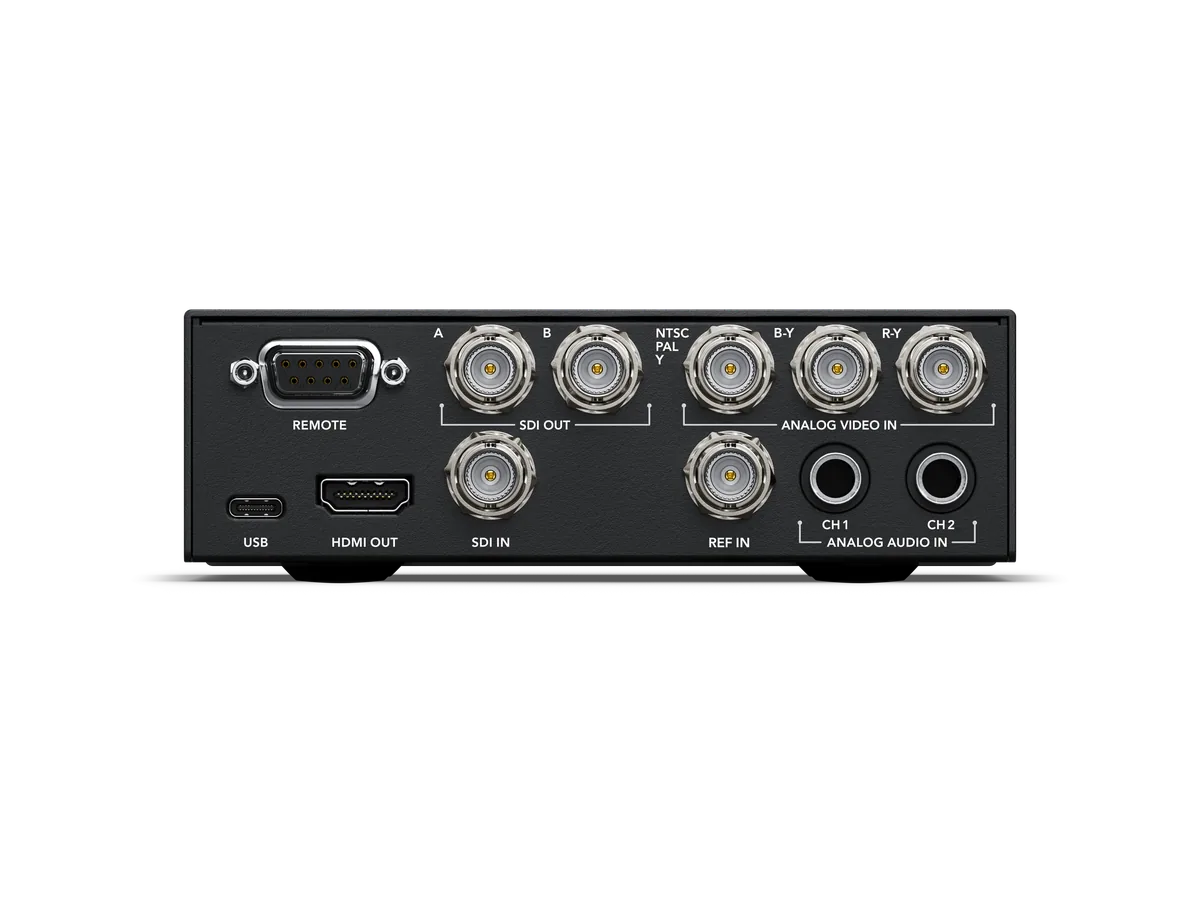
The announced connections include 3G-SDI and analog component/composite video inputs, analog audio inputs, HDMI monitoring output and dual SDI outputs that support fill and key. HDMI output does not mean HDMI camera capture: a camera with only HDMI output cannot simply feed that output socket. Make a connection list before purchasing, with source, destination, connector and signal format on separate lines. A cable that fits is only the beginning of a compatible signal path.
Keep this model’s limits separate from the family
Blackmagic specifies SD and HD operation up to 1080p60 for Express HD. Do not transfer the 4K capabilities of other UltraStudio products to this model. A production delivering HD may find the limit entirely appropriate, but someone requiring native UHD capture should investigate a different configuration. The broader product family page mixes several models, so compare the exact model name on the specification sheet and quote. This article reports the manufacturer’s capabilities; it does not claim an independent latency, image-quality or sustained-capture benchmark.
An archiving setup needs more than the interface
The unit includes RS-422 deck control and reference input; Blackmagic positions it for working with older broadcast decks as well as contemporary editing systems. Our practical advice is to inventory the source material first. Note its television standard, the playback deck’s usable outputs and the condition of the recordings. Test a representative section before committing to a large transfer. Review picture stability, sound, synchronization and the saved file. Capturing a signal does not establish that an aging tape or playback mechanism is healthy, and an interface cannot recover detail that the source never contained.
Budget for the working configuration
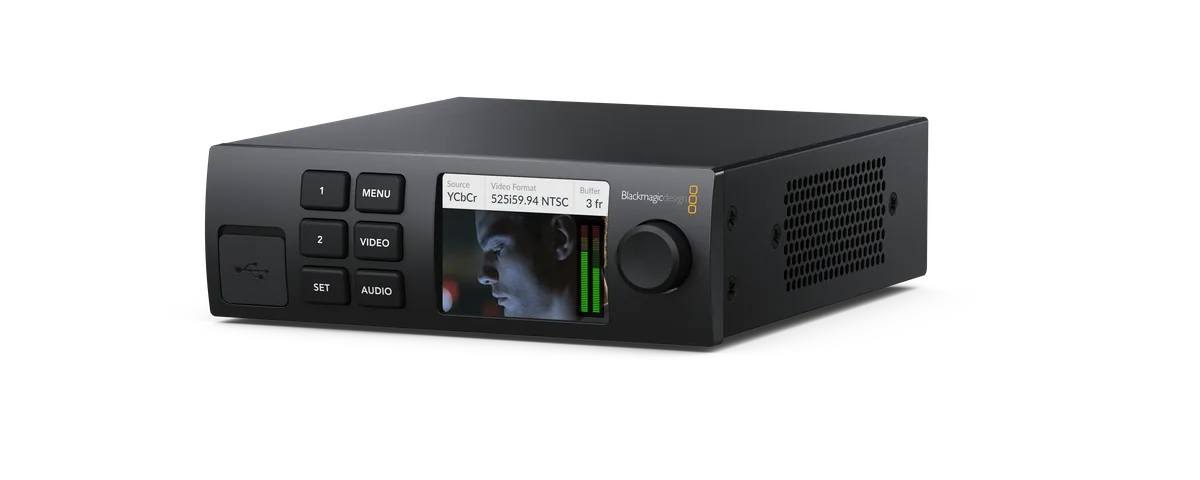
The pictured LCD front panel is the optional Teranex Mini Smart Panel, not evidence that the base-price unit includes a screen. Separate the interface, optional controls, computer connection and any required cables on the quote. Confirm the operating-system version, driver and application combination with current vendor documentation. A machine having a USB-C-shaped socket is not enough to establish USB4 support. For mobile work, include computer battery consumption in a real-duration rehearsal rather than assuming bus power makes a whole recording day possible.
Validate the file at the receiving end
Before an important capture, record a short sample using the intended source format and software. Open the resulting file in the receiving application, inspect its duration and frame rate, and listen through the whole sample. Then perform a longer rehearsal using the actual storage destination. Keep those test results with the equipment notes so a colleague can reproduce the setup. The useful buying question is whether this specific chain reliably carries the required SD or HD signal—not whether the product family has an impressive list of unrelated capabilities.